
Download ClipTone Ringtone Maker – Custom Ringtones, Audio Editing, Android Tool
Overview
ClipTone Ringtone Maker is a dedicated Android application designed to empower users with the ability to create personalized ringtones directly from their mobile devices. The software specializes in audio extraction and editing, focusing on transforming music and video content into custom ringtone formats. It addresses the common desire among mobile users to personalize their devices with unique audio cues, eliminating the need for a computer or complex software. The app enables users to select audio from videos or music files, extract the desired segment, and convert it into a ringtone with minimal effort. This functionality is particularly useful for individuals who want to use snippets from their favorite songs, movie dialogues, or podcast clips as personalized alerts. Target users include mobile enthusiasts, music lovers, and casual content creators seeking a simple way to customize their phone’s sound. The app’s core purpose lies in accessibility—offering a streamlined workflow for non-technical users to engage in audio editing. Real-world usage scenarios include creating ringtones from live concert recordings, customizing notifications for family members, or setting unique alerts for specific apps. While the developer did not provide additional background, the application’s design suggests a focus on user-friendly functionality and immediate results.Key Features & Capabilities
- Audio Extraction from Videos – Users can select any video file and extract the audio track with a single action, enabling access to music or spoken content for ringtone creation.
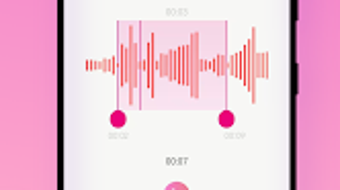
- Trimming and Editing Tools – The app includes precise audio trimming features, allowing users to set start and end points for their ringtone clips, ensuring the final output matches desired length and content.
- One-Click Ringtone Export – After editing, users can save the audio directly as a ringtone, with automatic formatting for Android compatibility and immediate setup options.
- Support for Multiple Audio Formats – ClipTone handles various audio file types, ensuring compatibility with diverse media sources and enhancing usability across different content libraries.
- Integrated Audio Player – A built-in player allows users to preview edited clips before saving, improving accuracy and satisfaction with the final result.
User Interface, Workflow & Performance
The application features an intuitive user interface designed for mobile environments, emphasizing simplicity and direct access to core functions. Navigation is structured around a central dashboard that displays available media files, with clear buttons for audio extraction, editing, and export. The workflow follows a logical sequence: select media → extract audio → trim → preview → save as ringtone. This step-by-step approach minimizes user confusion and reduces the learning curve. The interface is optimized for touch input, with responsive controls and visual feedback during editing. Users can adjust audio segments using drag-and-drop or numeric input, depending on the version’s implementation. The developer did not specify resource usage details, so performance behavior remains general. However, based on typical mobile app patterns, the app likely operates efficiently on modern Android devices, maintaining smooth responsiveness during playback and editing tasks. Stability is expected to be consistent with standard Android applications, though exact details were not provided. The app does not require constant internet access for core functions, suggesting it can operate in offline mode. The developer did not provide information on update frequency or long-term performance under heavy use.Compatibility & System Requirements
ClipTone Ringtone Maker is designed for Android operating systems, making it accessible to users of smartphones and tablets running on this platform. The specific version number was not disclosed, nor were detailed hardware or software prerequisites. The installation size is not specified, but given the nature of the app, it likely requires minimal storage space for basic functionality. The developer did not provide information on compatibility with older Android versions or specific device models. Users should expect standard Android compatibility, though exact support levels depend on the app’s internal architecture. The developer did not specify whether the app supports tablet layouts or adaptive UI scaling. Compatibility with third-party media players or file managers was not mentioned. For optimal experience, users may need to ensure their device supports common audio formats and has access to local media files.Pros and Cons
Pros
- Direct on-device ringtone creation without requiring a computer
- Simple, intuitive interface suitable for beginners
- One-click export and setup for created ringtones
- Supports multiple audio formats for greater flexibility
- Integrated audio player for real-time previewing
Cons
- Developer did not provide system requirements or compatibility details
- Exact performance and resource usage were not specified
- No information on update frequency or long-term maintenance
- Limited details on license type or monetization model
- Unclear whether the app functions fully offline
FAQ Section
Is ClipTone Ringtone Maker compatible with all Android devices?
The app is designed for Android, but the developer did not provide specific compatibility details for older or newer versions. Users should check their device’s operating system version and ensure it supports the app’s required features.
Can I use ClipTone without an internet connection?
The core functionality of audio extraction and editing does not require internet access. However, the developer did not specify whether online services or cloud features are involved in the app’s operation.
How do I update ClipTone Ringtone Maker?
The update frequency was not disclosed by the developer. Users should check their app store for available updates or rely on automatic update settings.
Is ClipTone Ringtone Maker free to download and use?
The app is described as a free multimedia tool, but the developer did not provide details on licensing or in-app purchases.
Does ClipTone support custom notification sounds?
The app focuses on ringtone creation, but the developer did not specify whether it supports other notification types beyond phone calls.







